Understanding Why Speakers Sound Muffled After Water Exposure
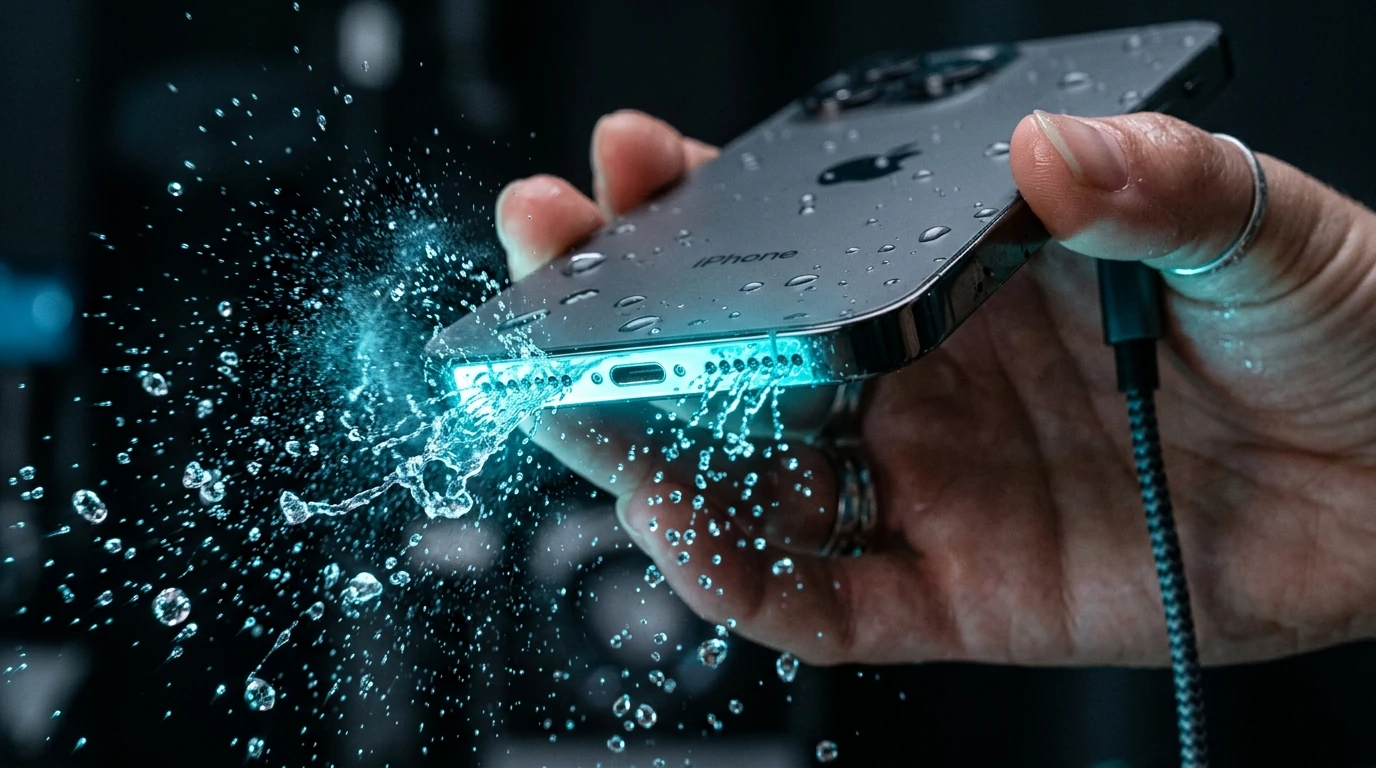
Modern flagship smartphones—including the iPhone 12 through iPhone 16 series, Samsung Galaxy S21 through S25, and Google Pixel 7 through 9—feature IP67 or IP68 water resistance ratings. While this ingress protection prevents liquid from reaching delicate motherboards and battery cells under normal conditions, the speaker grilles are open acoustic apertures that cannot be hermetically sealed.
Smartphone manufacturers cover speaker ports with a fine hydrophobic mesh designed with microscopic pores. Liquid surface tension (which measures 72.8 millinewtons per meter at room temperature for tap water) causes droplets to coalesce across these micro-pores. The water droplet acts as an acoustic blanket: it adds mass to the moving speaker cone and physically dampens sound vibrations, reducing high frequencies and causing speech to sound quiet, muffled, or garbled.
The 5-Stage Speaker Recovery Protocol
1 Immediate Physical Exterior Triage
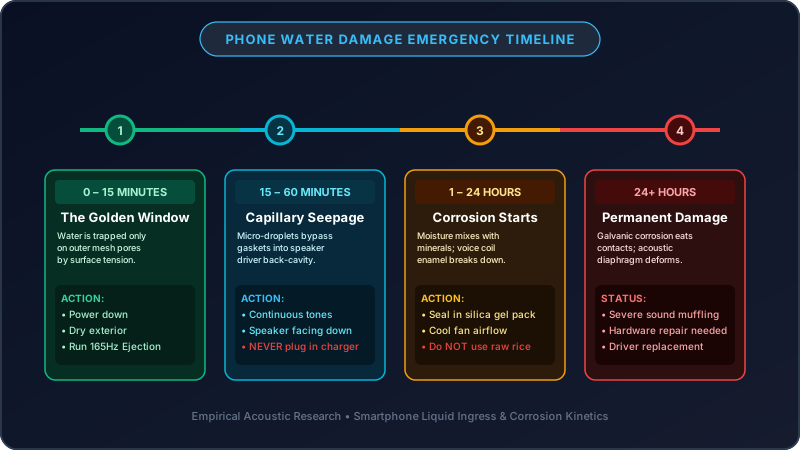
Pull your phone out of the liquid immediately. Power down the device if it is unlocked and responsive. Remove all protective cases, screen protector skins that wrap around speaker openings, and any attached cables. Gently dab the exterior of the chassis with a lint-free microfiber cloth. Avoid tapping the phone aggressively against hard surfaces, as impact shock can push moisture past the rubber gaskets protecting internal circuitry.
2 Gravitational Capillary Alignment
Position your smartphone so the primary loudspeaker grille (located at the bottom frame) and the earpiece speaker (at the top bezel) are angled downward at a 45° to 90° angle. Place a dry paper towel underneath the speaker grilles. Gravity will work alongside acoustic expulsion to guide dislodged droplets away from the internal sound chamber rather than letting them drain back in.
3 Run the 165Hz Acoustic Water Ejection Tool
Turn on your phone display and navigate to the free Fix My Speaker Cleaner Tool or our dedicated Water Eject Sound Generator. Increase your device volume to 100%. Tap the Sound Ejection Button to begin the calibrated 165Hz low-frequency square-sine pulse.
The Physics: At 165Hz, micro-speaker cones achieve maximum physical excursion (stroke displacement). The rapid back-and-forth movement builds localized positive air pressure inside the speaker chamber, overcoming the 72.8 mN/m capillary adhesion force and blasting droplets out through the mesh. Run 2 to 4 cycles of 60 seconds each, pausing 20 seconds between cycles to allow the voice coil to thermally normalize.
Eject Trapped Water Right Now
Use our browser-based calibrated 165Hz acoustic ejection tool. No app install required—100% free and hardware-safe.
Launch Speaker Cleaner →4 Chemical Desiccation (The Anti-Rice Method)
After active acoustic ejection has cleared the bulk liquid from the mesh, moisture films remain in the surrounding acoustic cavity. Place your device inside an airtight container alongside 4 to 6 fresh silica gel packets (desiccant) for 4 to 8 hours. Silica gel pulls ambient relative humidity down to below 15% without introducing particulate contaminants.
5 Verification and Diagnostic Frequency Sweep
Once dry, test your speaker across the entire human hearing spectrum (20Hz to 20,000Hz). Use our interactive Speaker Sound Test Tool to check for voice clarity at 440Hz, bass resonance at 120Hz, and high-frequency chime crispness at 2,500Hz without buzzing or distortion.
Why the "Rice Trick" is a Destructive Myth
For over two decades, putting wet phones into uncooked white rice has circulated across social media. However, major smartphone manufacturers including Apple, Samsung, and Google have officially published repair bulletins warning consumers against this practice.
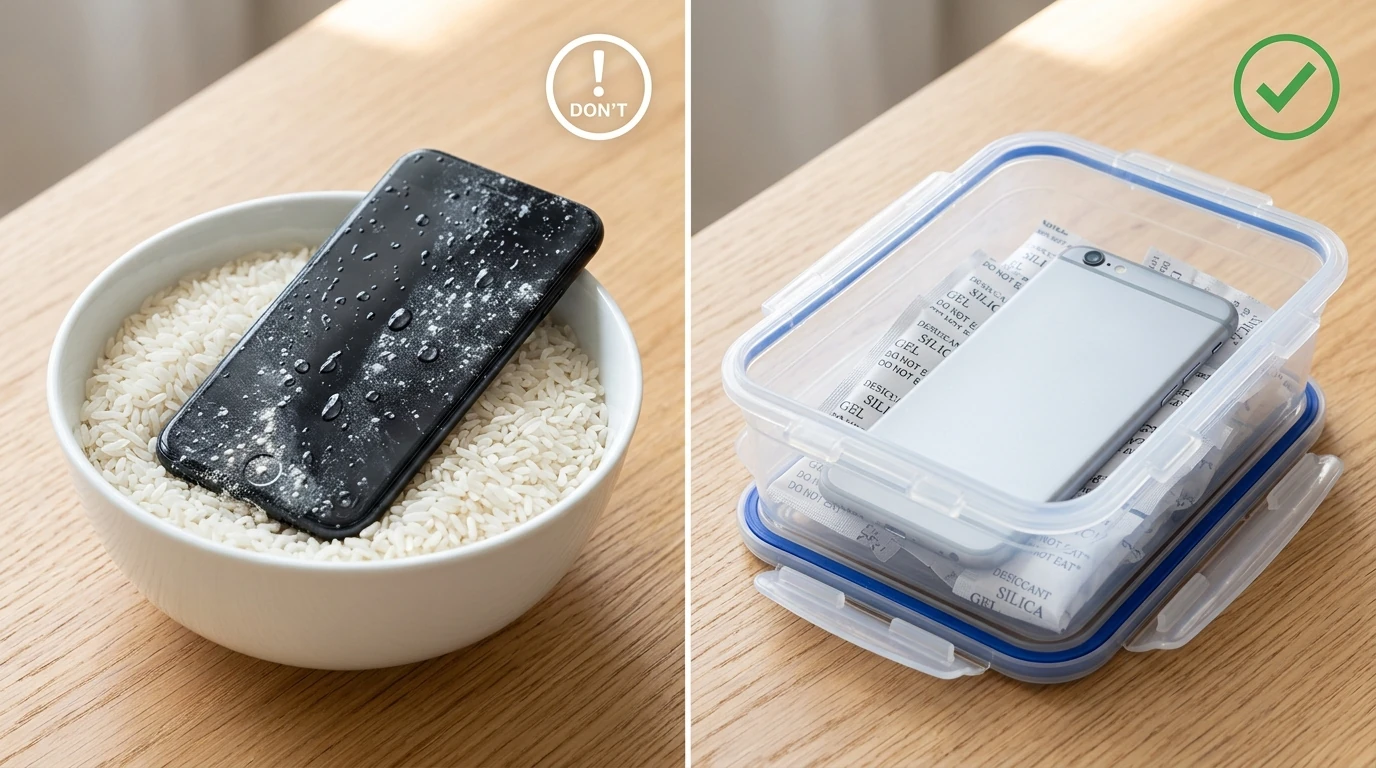
Here is why rice actively damages speakers:
- Starch Dust Clogging: Uncooked grains are coated in fine starch powder. When this powder contacts moisture inside speaker grilles and charging ports, it forms a gelatinous, conductive paste that clogs the acoustic mesh pores permanently.
- Slow Evaporation Rate: Controlled laboratory tests demonstrate that open ambient air with good airflow evaporates water faster than a sealed bag of dry rice.
- Physical Chaff Damage: Small grain fragments can lodge into the 3.5mm headphone jack or USB-C pin assembly, bending internal pins during insertion.
Water Removal Methods Compared
| Method | Speed | Effectiveness | Hardware Safety Risk |
|---|---|---|---|
| 165Hz Acoustic Ejection (Fix My Speaker) | 1–3 Minutes | High (Expels bulk liquid) | Extremely Safe (Calibrated to IEC 60268-5 standards) |
| Silica Gel Packets (Desiccant) | 4–8 Hours | High (Absorbs residual humidity) | 100% Safe (Non-abrasive, chemically inert) |
| Hair Dryer / Heat Gun | 5–10 Minutes | Low to Moderate | High Danger (Melts waterproof adhesive; warps cone) |
| Uncooked Raw Rice | 24–48 Hours | Poor | High Danger (Starch paste clogs acoustic mesh) |
| Cotton Swab / Toothpick | 1 Minute | Very Poor | Extreme Danger (Punctures delicate mesh barrier) |
Special Scenarios: Saltwater, Chlorinated Pools, and Sugary Drinks
If your device fell into ocean saltwater, a chlorinated swimming pool, soda, beer, or coffee, simple drying is not enough. When salt or sugar solutions dry, they leave behind crystallized mineral deposits or sticky syrup that will permanently seize the speaker diaphragm voice coil.
The Saltwater First-Aid Procedure:
- If your device has verified IP68 water resistance, lightly rinse the speaker port under a gentle stream of fresh tap water for 3 to 5 seconds to dilute salt ions and sugars.
- Immediately dab dry with a microfiber towel.
- Run the Water Eject Sound 4 times consecutively with the speaker pointed directly downward.
- Follow up with our Deep Clean Sweep to dislodge loose mineral residues as the moisture departs.
When to Seek Professional Hardware Repair
If you have completed multiple 165Hz water ejection cycles, allowed the phone to dry in a desiccated environment for 12 hours, and the speaker still exhibits loud rattling, severe distortion, or zero sound output, the voice coil may have suffered physical mechanical failure or the audio amplifier chip may have shorted. In this instance, schedule a diagnostic check with an Apple Authorized Service Provider or certified Samsung Repair Center.
For more answers to common questions about device compatibility, safety, and acoustic physics, visit our Comprehensive FAQ Page or read our guide on How to Test Your Phone Speaker.