Why Wireless Earbuds Suffer Sudden Volume Drop
Unlike smartphone loudspeakers positioned on the outer perimeter of your pocket, in-ear monitors sit deep inside your ear canal. The human ear canal maintains an internal temperature of approximately 37°C (98.6°F) and constantly secretes cerumen (a natural lipid mixture of sebum, squalene, and keratinocytes) to trap dust and protect the eardrum.
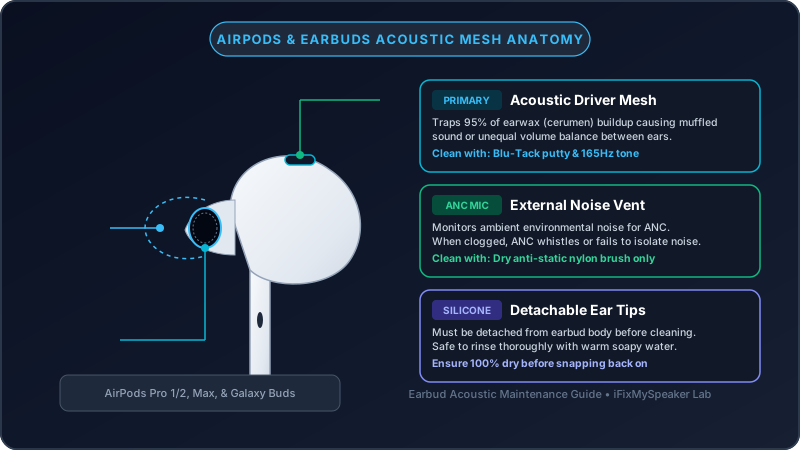
Body heat softens this earwax during workouts or extended listening sessions. As you insert and remove the earbuds, micro-droplets of wax flow into the black acoustic mesh covering the driver aperture. When the earbuds cool down inside their charging case, the wax solidifies into an impermeable barrier, completely suffocating sound waves.
The Safe 4-Step Cleaning Protocol
1 Separate and Wash the Silicone Ear Tips (AirPods Pro Only)
If you have AirPods Pro, gently pull the silicone ear tips off the plastic earbud housing:
- Rinse the silicone tips under clean, lukewarm tap water. Do not use soap, detergents, or chemical cleaners.
- Wipe the tips with a soft, lint-free microfiber cloth.
- Allow the tips to air-dry completely for at least 30 minutes before reattaching them. Never reattach moist tips, as trapped humidity can penetrate the earbud transducer.
2 Clean the Acoustic Mesh with a Dry Cotton Swab
Hold the AirPod so the speaker mesh points downward toward the table. This ensures loosened wax falls away rather than falling deeper into the sound chamber.
Use a clean, dry cotton swab (Q-tip) or an electronics detailing foam swab. Gently rub the mesh in circular motions to lift surface wax. You will see yellow-brown discoloration transfer onto the white cotton swab.
3 Loosen Stubborn Cerumen with 70% Isopropyl Alcohol
If the wax is hardened and won't lift with a dry swab:
- Dampen the tip of a clean cotton swab or soft ESD brush with a droplet of 70% Isopropyl Alcohol. Dab it on paper so it is damp, never dripping.
- Holding the pod face-down, lightly brush the black mesh. Alcohol breaks the lipid bonds of earwax and evaporates in seconds.
- Never use 99% alcohol (which can dissolve internal acoustic adhesives) and never let liquid seep into the interior cavity.
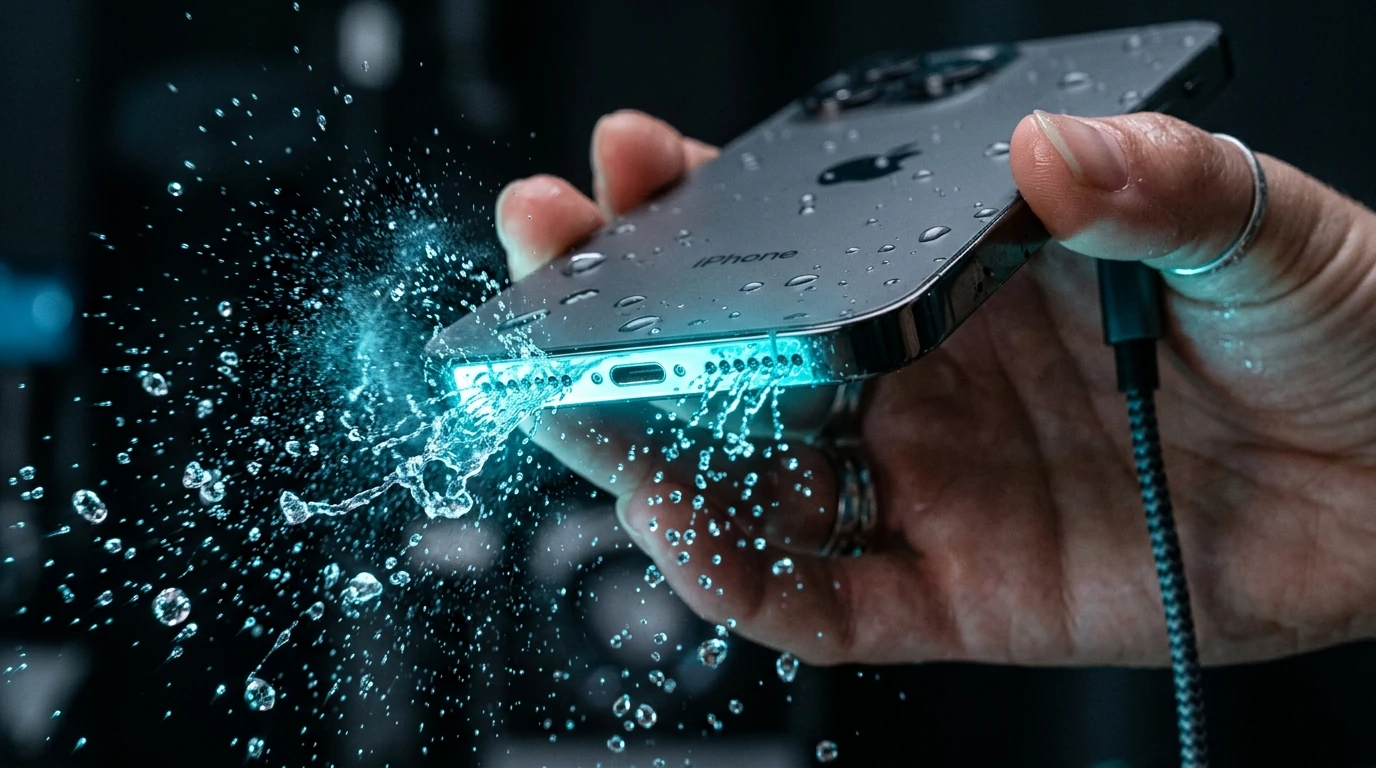
Got Liquid in Your AirPods?
Run our calibrated 165Hz sound pulse to dislodge moisture from wet earbud grilles.
Launch Water Eject Tool →4 Clean the Microphone & ANC Pressure Vents
AirPods Pro and modern earbuds feature additional vents on the exterior shell for Active Noise Cancellation (ANC) and spatial audio pressure equalization. If these external black vents become blocked with debris, Transparency Mode and Noise Cancellation will generate a screeching feedback loop or feel like ear pressure. Gently wipe these vents with a dry microfiber cloth.
Cleaning Methods Compared: Safe vs Dangerous
| Cleaning Method | Safety | Outcome |
|---|---|---|
| Dry Cotton Swab + Downward Orientation | 100% Safe (Apple Approved) | Lifts fresh surface cerumen effectively. |
| 70% Isopropyl Alcohol (Lightly Damp Swab) | Safe with care | Dissolves hardened wax; evaporates cleanly without residue. |
| Safety Pin / Toothpick Point | Extremely Dangerous | Pierces the 0.1mm acoustic mesh, permanently ruining driver protection. |
| Canned Compressed Air | Destructive (Apple Prohibited) | Blows wax directly through the mesh into the voice coil; ruptures diaphragm. |
| Submerging Earbuds in Water | Instant Death for Device | Short-circuits internal lithium-ion coin cell batteries and Bluetooth logic board. |
Testing Audio Balance After Cleaning
To confirm your cleaning restored full volume balance between both ears, visit our Speaker Sound Test page while wearing your AirPods. Play the Stereo Panning Test to verify identical volume in both ears, and check the 440Hz and 1,000Hz test tones for clear, undistorted vocal representation.